
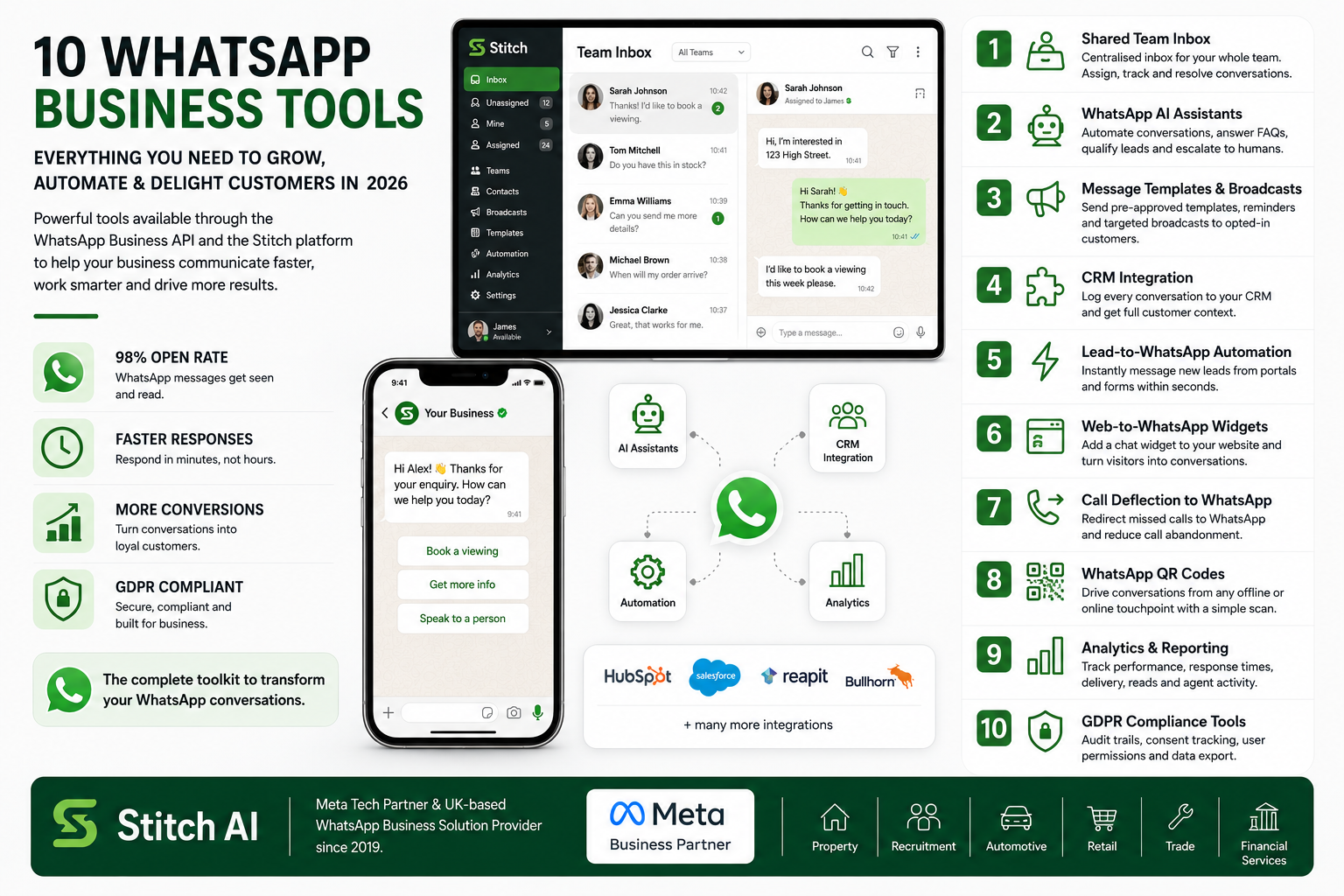
In this guide I am going to walk you through the full set of WhatsApp business tools available in 2026, what they do, and which types of businesses benefit most from each one. All of these tools are accessible through the WhatsApp Business API and the Stitch platform.
1. Shared Team Inbox
A shared team inbox is the foundation of any serious WhatsApp business setup. It allows your entire team to see and respond to incoming WhatsApp messages from a single centralised platform, regardless of how many people are in the team or where they are working from.
Without a shared inbox, WhatsApp conversations are trapped on one device. One person becomes the bottleneck. Messages get missed when they are off or busy. There is no visibility across the team. A shared inbox fixes all of that. Conversations can be assigned to individual agents, tracked through to resolution, and escalated when needed. Managers get full oversight. No message falls through the gaps.
This is the single most impactful tool for any team currently managing WhatsApp on a single phone.
2. WhatsApp AI Assistants
AI assistants are automated agents that handle conversations on your behalf. They can answer common questions, collect information from customers, pre-qualify leads, route enquiries to the right department, and escalate to a human agent when the situation requires a personal response.
Modern WhatsApp AI assistants are not the basic chatbots of five years ago. They understand context, handle multi-turn conversations, and integrate with your back-end systems to pull real-time information like stock availability, appointment slots, or account details. For businesses receiving high volumes of enquiries, particularly out of hours, an AI assistant dramatically improves response times without adding headcount.
3. Message Templates and Outbound Broadcasting
Message templates are pre-approved outbound messages that can be sent to customers who have opted in to receive WhatsApp communications from your business. They are used for appointment reminders, order confirmations, delivery updates, follow-up messages after a call or enquiry, and marketing broadcasts.
The ability to send a targeted broadcast to your opted-in customer base via WhatsApp is one of the most underused tools available. Open rates on WhatsApp messages sit at around 98 percent. Compared to email, which averages 20 to 30 percent, the difference is significant. Businesses that have moved their re-engagement and nurture campaigns to WhatsApp consistently report better results.
4. CRM Integration
CRM integration connects your WhatsApp conversations directly to your customer records. Every message sent and received is automatically logged against the right contact in your CRM. This gives your team full context for every customer interaction, regardless of who handled the last conversation.
Stitch integrates with a wide range of CRM and ATS platforms including Salesforce, HubSpot, Reapit, Bullhorn, and others. If your CRM is web-based, there is usually a route to integration. The commercial benefit is clear: your team spends less time switching between systems, and managers get a complete picture of customer engagement.
5. Lead-to-WhatsApp Automation
Lead-to-WhatsApp automation fires a WhatsApp message to a new enquiry the moment they submit a form or register their interest on a third-party portal. This is one of the highest-impact tools we deploy. Speed to lead is one of the most important variables in conversion, and getting to a customer in WhatsApp within seconds of them raising their hand is a significant competitive advantage.
Our clients using this tool see delivery rates of around 90 percent, with over 75 percent of customers responding within minutes. That is dramatically better than a phone call or an email follow-up.
6. Web-to-WhatsApp Chat Widgets
A WhatsApp chat widget on your website lets visitors start a conversation with your business in one click. Rather than filling out a contact form and waiting for a response, they are immediately in a live conversation with your team or your AI assistant. This converts website visitors into conversations, and conversations into customers.
The widget can be configured to route different types of enquiries to different teams, and it works on mobile and desktop. It is simple to deploy and one of the fastest ways to increase the volume of inbound conversations your business receives.
7. Call Deflection to WhatsApp
Call deflection lets you redirect unanswered or overflow phone calls into a WhatsApp conversation. Instead of going to voicemail, which 75 percent of callers hang up on rather than leave a message, the caller is offered the option to start a WhatsApp chat instead. The opt-in rate for this is very high.
The benefits are immediate. You reduce your call abandonment rate. You move customers into a channel with a much higher response rate. And your team can handle the conversation at a convenient time rather than playing telephone tag. Businesses using call deflection to WhatsApp regularly cut their call answering costs by 60 to 80 percent.
8. WhatsApp QR Codes
QR codes that open a WhatsApp chat can be placed on any physical or digital touchpoint. Printed marketing materials, shopwindows, business cards, vehicle graphics, product packaging, exhibition stands. Anyone who scans the code is immediately in a WhatsApp conversation with your business.
This is a particularly effective tool for trade counters, retailers, and any business with a physical presence. It converts offline interactions into digital conversations, and because the conversation opens in WhatsApp, you immediately have a way to follow up, nurture, and serve the customer.
9. Analytics and Reporting
The WhatsApp Business API gives you access to detailed analytics that are simply not available in the free app. You can track conversation volumes by team, response times, resolution rates, message delivery and read rates, and the performance of individual agents. This data lets you identify bottlenecks, manage team performance, and demonstrate the commercial impact of your WhatsApp channel.
10. GDPR Compliance Tools
Compliance tools include audit trails ofall conversations, user permission controls, consent tracking, data retention policies, and the ability to export data to respond to Subject Access Requests. These are not optional for any UK business handling customer data. They are a legal requirement. The WhatsApp Business API is the only version of WhatsApp that makes genuine GDPR compliance possible.
Bringing It All Together
The businesses that get the most out of WhatsApp are the ones that use it as a properly integrated communication channel, not just a way to send the occasional message. The tools I have described above work together. An AI assistant handles the first response. The shared inbox ensures the team can pick up and progress the conversation. CRM integration keeps everything logged. Lead-to-WhatsApp automation ensures no new enquiry waits more than a few seconds for a response. And analytics lets you track the impact and keep improving.
If you want to see any of these tools in action, book a demo with Stitch. I will show you exactly how they work and what they would look like in your specific business context.